 I’ve now watched Steve Jobs’ Macworld keynote and have to admit that I’ve got a little bit of egg on my face. Those of you who’ve seen it will note that Steve tied together his big three product innovations, the original Mac, the iPod and now the iPhone, and explicitly talked about how each was based on a revolutionary input device: the mouse, the touch-wheel and now the multi-touch screen. This was my point in the previous post, but of course, at that point, I hadn’t seen the speech.
Each of these devices expands the communications bandwidth between human and machine, and that makes interacting with them far more interesting and engaging. More of what you do is communicated to the machine, and the machine can respond more quickly and in more complex ways.
When you interact with another person, you’re communicating over all kinds of sensory pathways and are sensitive to the tiniest of cues. (For example, we’re exquisitely tuned to notice what other people are looking at. We can do it because of a unique human trait — the white of the eye. An article in today’s NY Times focuses on this trait as a key feature in the evolution of human cooperation.) Analog machines allow for proportional input — the steering wheel on a car comes to mind — but digital devices traditionally have forced us to communicate over a very narrow band. As our devices improve, human/machine bandwidth improves and Jobs has seen better than anybody how that can be the basis of revolutionary devices.
Such machines feel more organic to us. The very act of using them is enjoyable. In fact, one of the words you often hear used to describe them is “sexy.” I’ll leave it to you to make the connection between sex and communications bandwidth.
If you haven’t seen the speech, it’s worth watching. There is nobody as good at this as Jobs. He essentially gave a tutorial on the use of this thing, mostly on his own, without reading from a script, for an hour and a half, in front of an audience of tech-savvy people — and he kept them enthralled throughout. I don’t know of any other CEO who could pull something like that off. What made his performance all the more impressive is that he apparently hadn’t slept a wink the night before.
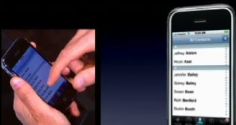
One of the real challenges must have been to show 1000 people how to use a little device and, in particular, how finger gestures on its screen get interpreted by software. They solved that with a split screen — one camera showing a closeup of his hands, the other a simultaneous live display of what was on the screen of the phone. I doubt if many people noticed it, but the screen tap was actually matted live over an image of the complete phone. (Watch what happens when he rotates the phone.)
Whether this thing will succeed in the marketplace, I have no idea. It’s expensive, it’s a mostly closed platform, and the Internet speed will be relatively slow at first. But it merges a sophisticated phone, a widescreen iPod, push e-mail and the first real no-compromise web browser on a mobile device. Pretty slick.
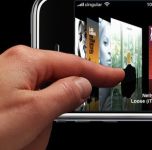 The months of rumors are over, the iPhone has been revealed, and once again it looks like Apple has created a game-changer. Steve Jobs was reported to be more excited over this device than anything since the original Mac, and despite the obvious marketing hyperbole in such a statement, the parallels between the first Mac and the iPhone are pretty strong. Both represent a new platform — the iPhone is really a portable, Internet-connected, telephony-enabled Mac — and both represent the first commercialization of a powerful user-interface technology that was previously seen only in research labs. It’s that last bit that people are raving over.


 Splice Now
Recent Comments