Dede Allen

Posted April 18, 2010 by Steve
Categories: Avid, Media and Society

Dede Allen, one of the seminal figures in editing for nearly a half century, died Saturday of a stroke. She was the first editor I ever met, and she was partly responsible for my choice of career. I will miss her — her inspiration, her intelligence, her wisdom — more than I can say. The LA Times Obituary credits her with making editing an art coequal with cinematography. Whether that’s true or not, her influence has been pervasive.

Mia Goldman did a wonderful interview with her for the Editors Guild Magazine back in 2000 (when I was the magazine’s editor). She had just cut her first picture with an Avid, “The Wonder Boys,” after finishing a stint as an executive at Warner Bros. The interview is still online, and it shines a unique light on her point of view: Part 1, Part 2.

What We Leave Out

Posted April 18, 2010 by Steve
Categories: Media and Society

Michael Lewis, author of The Big Short: Inside the Doomsday Machine, a book about the financial meltdown that is getting rave reviews — not only for its substance, but for its writing — was interviewed recently by Christopher Lydon on his show, Radio Open Source. Lewis calls his kind of journalism “narrative nonfiction.” This is how he describes his process:

Writing is about, and this sounds strange, about leaving things out. The gift is to find — the luck is to find — the right things to leave out. And what’s the least you have to include to make it all work. It’s a process of accumulating lots of raw material, sitting in my office by myself, and figuring out how much I can get rid of.

What does that remind you of?

The interview — and it’s a good one — is here:

Our Appetite for Apocalypse. Also available as a podcast on iTunes

Editing in the Cloud

Posted April 17, 2010 by Steve
Categories: Avid, Laptop Editing, Workflow

Another tidbit from NAB — a demo of Avid’s online, editing-in-the-cloud product. Just a technology demonstration, but it’s pretty darn impressive. If it was simply another editing application it wouldn’t be all that interesting, but all of the media and all of the editing action is taking place on a server thousands of miles away. All your cuts, including up to four layers of visual effects, get transparently assembled and composited on the server at DNxHD 220 and then transcoded and sent to you as you work. Very little latency. Background rendering and distribution. There’s even an iphone application for review and approval.

Product Manager Richard Gratton does a very tight, well-paced demo. It’s about 20 minutes long:

m4v file download / video podcast on itunes.

More MC5 Features & Videos

Posted April 14, 2010 by Steve
Categories: Avid

Adding to the list from yesterday, here are a few more new features in Media Composer 5:

  • The ability to select timeline views from the keyboard (hallelujah!).
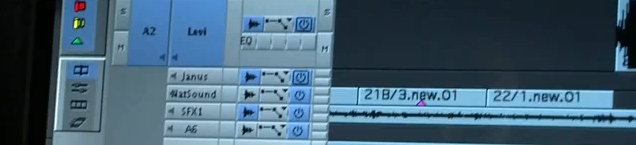
  • Separate solo and mute buttons for each audio track.
  • Ability to turn on waveforms for each track independently.
  • Ability to deactivate any audio track to save system resources (this is different from hitting the old speaker icon — which didn’t really deactivate the track).
  • Standard “landing bar” for the timeline cursor — at the top of the timeline window.
  • Not only does linked selection work in segment mode, it also works in trim mode. When it’s on, if you select video for trimming, audio is selected, as well (and vice versa).
  • Red support means that you can directly play R3D files and also apply and change color value information using a histogram (and in your choice of colorspaces: REDSpace, Camera RGB, and REC.709).
  • And last but not least, AMA support for native ProRes files.

Avid’s Bob Russo does a good job demonstrating most of the new features in this 5 minute youtube video.

And in a this 15 minute video podcast from the Avid booth at NAB, Matt Feury goes over the new features (and some old features) and shows how they work together in the editing room. Avid Events Rewind Blog. Same thing on iTunes.

Media Composer 5

Posted April 11, 2010 by Steve
Categories: Audio, Avid

With NAB starting this weekend, Avid has announced Media Composer Version 5. You can get a quick rundown on some of the new features, here and here. Without doubt, this is Avid’s biggest upgrade in years and includes many fundamental changes to the editing model, along with a host of new features.

The short list includes:

  • AMA support for Quicktime, for native Red R3d material and Canon DSLR media — meaning that you can play and edit these files without importing them.
  • Super low cost HD client monitoring via the Matrox MXO2 Mini (about $450).
  • Direct manipulation of clips and transitions in the timeline. Click a transition to get into Trim Mode, click a clip to get into Segment Mode. Click the top of a clip for red segment mode, click the bottom for yellow segment mode.
  • Linked selection — select video and the associated audio is selected at the same time.
  • Stereo audio tracks and clips — a stereo pair can be treated as one object with one set of keyframes.
  • Support for real-time Audiosuite plugins.
  • The ability to mix and match clips with different aspect ratios in the same timeline. Tell the MC how you want each clip presented via a bin column (pillar/lettter box, stretch, etc.)
  • A “paging” timeline — when you play off the right edge of the timeline, it jumps forward, so you are always seeing the blue cursor. (This alone is a reason to upgrade.)
  • Dupe detection now works across all video tracks.
  • The ability to import AVCHD video.
  • Support for RGB colorspace in HD.

Not too shabby for one release.

And, in a separate announcement, Avid reported a deal to buy Euphonix, maker of advanced mixing consoles. The press release is here. Key sentence: “Avid plans to further develop an open standard protocol that greatly expands the ecosystem of compatibility between the Euphonix control surfaces and a wide range of Avid and third-party audio and video applications, including Media Composer and Pro Tools.”

Editing on an iPad, Anyone?

Posted March 24, 2010 by Steve
Categories: Apple, Laptop Editing, User Interface

Call me slow, but I finally watched Steve Jobs’ iPad keynote last night (it’s now available on Apple’s home page — or here). The iPad looks like it’ll be a very nice way to watch movies or read digital books, and Jobs offered a typically masterful demo of those capabilities. But what I didn’t expect was the focus on content creation. That came from Phil Shiller, who showed Pages, Keynote and Numbers.

Apple made a radical decision with the iPad, focusing entirely on a touch interface. That may seem like a natural extension of the iPhone, but you’re going to do different things with an iPad, and your fingers work differently than a mouse. A mouse is way more accurate, but it’s monotonic, with only one active region at a time. With multi-touch, you lose precision but you gain the ability to track gestures and activate multiple contact points. In terms of human-machine bandwidth, it’s probably a wash — but to make touch work you need an interface that’s tweaked differently. So Apple has quietly redesigned all of its core applications with bigger buttons and new interaction models that let you quickly do what you want with your fingers. There’s a focus on presenting you with exactly and only the tools you need for any particular task, and that ain’t as easy as it looks.

Watch, for example, how Shiller selects multiple slides and moves them around as a group (at about 1:01:00). Or how he matches the size of two images by touching them simultaneously. Or does live wrapping of text around an image (at 1:05:00). Or moves columns of figures, or uses a soft keyboard with just the symbols you need.

There’s no version of iPhoto for the iPad yet — editing an image will certainly take some unique UI work — but it seems clear that we’ll see one soon.

And so, we come to the question of post production. Would the iPad work for heavy duty editing? Unlikely. The screen is way too small, and there’s no disk interface, no Finder. But for putting together home movies while on vacation and uploading them directly to Youtube? It seems like a natural.

The question is what might happen when pros start playing with an interface like that. As the song says, once they’ve seen gay “Paree” — how ya gonna keep ’em down on the farm?