How Many Editing Markets Are There?

Posted September 20, 2007 by Steve
Categories: Avid, Avid vs. Final Cut, Consumer Editing, Workflow

In the early ’90s, Avid triumphed against all competitors and democratized the editing world in the first non-linear revolution. But it didn’t do nearly as well in the second revolution that began around 2000. Apple saw that software-only systems were going to become increasingly powerful, so they cut prices and offered a swiss-army-knife product that undercut Avid’s business model. And they sold systems to people Avid didn’t even know were potential customers.

Meanwhile, Avid focused on the high end, aiming its new products at large installations with hundreds of systems. Today, Final Cut easily beats MC on market share, and looks like the rebel’s choice. But it just hasn’t caught on in Hollywood, and nearly everybody who has tried it has either come back to Media Composer or has made their peace with a product that they acknowledge as at least partially inferior. Yes, you can get the job done, and yes it’s cheaper (especially for HD) but no, for longform work, it ain’t better. And Avid’s technical support and training apparatus, warts and all, is head and shoulders above Apple’s.

The question now, is where Avid goes next. They can and should build on their deep connections with high-end editors. They’ve done way too little for creative editing over the last decade and by presenting Apple with a static target they’ve given them a huge opening. That has to be fixed.

They’ve also got to cement their strategy for their high-end corporate customers. I haven’t used Interplay but I’ve seen it demonstrated several times, and it seems awfully “version 1” to me.

But what about the rest of the editing world, the folks Apple has been cultivating? If you like, you can divide that world into two parts: consumers and, for want of a better word, independents. Avid has not been able to articulate a compelling vision for either of these groups. For consumers, Avid chose to buy their way to market share with Pinnacle Studio. For independents, they’ve been promoting Xpress Pro with only partial success.

Does Avid need these customers? Or should they just let them go and focus on the high end? My view is that the editing world is becoming more and more unitary and interdependent. I don’t think Avid will succeed selling Interplay to facilities doing offline with Final Cut, and independents won’t want to learn a new interface if they come to Hollywood. Consumers who want to graduate to something more capable will want to stay with the same brand and interface conventions they started with.

Avid needs to articulate a vision that speaks to all these markets. The product line that wins scales naturally with different buying segments, keeps prices low, and, critically important, inspires all customers to be as creative as possible. With its many acquisitions, Avid now has the pieces in place to envision that product line, but it has to actually build it — reinventing many of the applications, making the interface consistent and ensuring that projects and media can easily be moved up the price ladder. It has to start working as one company, focused on one vision for the future of editing — for everybody.

Technorati Tags: , , , ,

Adrenaline Progress Report

Posted September 18, 2007 by Steve
Categories: Avid, Avid Technical Tips

I’ve been working with Adrenaline 2.7.3 for a little over a month now and I thought I’d pass on a progress report. In general, I’m very happy with it. There are still some quirks, but the advantages now far outweigh the disadvantages. I’m working with 14:1 media on a quad-core G5, with two users sharing a project over Unity.

Pros:

  1. Fast and very stable. Only one minor crash in four weeks of intensive work.
  2. Plays video responsively.
  3. Scrubs audio very responsively.
  4. Updates waveforms quickly.
  5. Saves very quickly.
  6. All the other advantages of Adrenaline:
    – 16 tracks of playable audio
    – realtime audio dissolves (indispensible for me now)
    – powerful effects capabilities, most realtime
    – restore previous trim command
    – unified mixer

Cons:

If the list below looks long, it’s only because I’m providing a lot of detail. These are relatively minor problems.

  1. Slow performance with frame view big bins. With bins over about 10 or 15 MB, dragging clips around, renaming them, or loading them into monitors feels very sluggish. In addition, whenever you open a new bin, all clip frames in all open bins, and all timeline waveforms, are reacquired, which can make opening a new bin feel pretty sluggish.
  2. Quirky stops. On the source/record window (the computer monitor) stops are precise, but the client (the big TV) often flickers badly for a second or so after you hit stop.
  3. When you hit “L” twice quickly, the system says you’re moving at 48 fps, but you’re still going at 24. You have to pause briefly between keypresses to really move at 48.
  4. We’re shooting on 16mm film for an HD finish, and if I enter a trim or dissolve duration in feet and frames it’s always interpreted incorrectly. The only way to enter durations properly is to work in time or total frames. In addition, you can’t measure 16mm durations as if they were 35mm. Even though the system offers to let you do this, you always get 16mm.
  5. I use iTunes for music and sound effects and couldn’t live without it anymore. The only quirk is that you can’t drag from iTunes to a bin (you can’t do this in FCP either). The solution is to drag to the desktop and then drag to your bin from there. But if your cursor moves over a frame view bin on your way to the target bin, you’ll get all kinds of horrible artifacts, which won’t go away until you’ve closed and reopened the bin.
  6. If you use “Dual Image Play” in trim mode (so that both sides of a trim move together) you’ll discover a very annoying bug in Adrenaline. Everything works fine in the trim mode window. But on the client monitor you see a frozen frame when you’re rolling a cut.
  7. If you open a Unity bin and try to rename it you’ll often get an error message. You’ll have to close and re-open the bin to see the change.
  8. Dragging clips from one bin to another in frame view will cause the clips to “align to grid.” If you’ve got a bunch of clips nicely organized and you move them to another bin they end up spaced differently, removing a lot of the organization.

Technorati Tags: , , ,

Two Useful Buttons for Your Keyboard

Posted September 13, 2007 by Steve
Categories: Avid Technical Tips

Here are a couple of keyboard shortcuts that I’ve grown very fond of recently:

Return to Previous Trim

Option-Trim

As my sequences get more complicated, I set up more complex roller combinations in order to trim them. I’ll trim something, drop out of trim mode to check a cut in context and often want to return to the previous trim and make an adjustment. We’ve been asking for “return to previous trim” for a decade or more, and Avid has finally added it in recent versions of Adrenaline. It’s invoked by holding down the option key and hitting the trim mode button. I like it so much that I’ve added it to my keyboard. Doing so is a two step process. First drag the Trim Mode button from the Other tab in the Command Palette to your keyboard settings. Then drag the “Add Option Key” button on top of the trim mode button. This creates a trim mode button with a little dot on it. When you hit it, you’re hitting option-trim.


Turn Waveforms On and Off

Waveforms On-Off

When making a first cut I now leave waveforms on all the time. It’s just too useful to have them visible and with a fast G5 or Intel Mac they display quickly. But with longer sequences it’s another story — it just takes too long for waveforms to update. So I’ve come to use a keyboard shortcut to turn them on and off. That makes it trivially simple to leave them on most of the time but quickly get them out of the way when they’re slowing things down. To do this, select “Menu to Button Reassignment” in the command palette, and click on the key you want to dedicate to this function. Then click on the timeline popup menu (the timeline “hamburger”) and select Audio Data > Sample Plot. The letters “SP” will appear on your chosen key. Just hit that key to turn waveforms on or off.

.

Technorati Tags: , , ,

The Next Debate Will Not Be Broadcast

Posted September 3, 2007 by Steve
Categories: Media and Society

Turns out that there will be another Democratic debate — next weekend, Sept 9, in Miami. How do I know? It was buried in an article in Sunday’s NY Times — on page 18! A big 2-page “Election Calendar” (which wasn’t published online) didn’t even mention it. It took me ten minutes of Internet research to get the particulars.

It’s being broadcast — by Univision — but apparently won’t be aired in LA. Yea, I guess nobody’s interested in a debate from Miami. What a backwater! It sure has nothing to do with presidential politics.

We have a US post office today because our nation’s founders thought that an informed public was an essential prerequisite for democracy. Today, we’re supposed to get our candidate information from late night television, network pundits and 30-second spots.

Isn’t it self-evident that these debates should be aired live nationwide and should be on the Internet as soon as they’re over?

Technorati Tags:

Two Bucks an Episode?

Posted September 2, 2007 by Steve
Categories: Media and Society

On Thursday, NBC indicated that it would not renew its contract to sell television episodes on the iTunes store. Though nobody is absolutely certain of the reasons, money is certainly one of them. Then, on Friday, Apple retaliated by dumping NBC shows ahead of the contract expiration date, but NBC disputed this.

The whole thing strikes me funny. Apple charges $1.99 per episode, and apparently, that isn’t enough for NBC. But if you look at what the networks make when you watch a show over the air, that sure looks like big money to me. If you divide the total commercial revenues for a typical prime time show by the number of people watching, you get a figure more like 50 cents per viewer. So when you buy a show for $1.99, you’re really being gouged. True, watching the network broadcast isn’t exactly the same as buying a digital file that you can look at over and over again, but you could easily Tivo or tape the broadcast, and thus own it, and, in any event, who wants to permanently own an episode of a TV show? How many times are you really going to watch it?

I’d love to buy my TV and watch it ad-free. But give it to me for a reasonable price — the same price the network is getting when advertisers pay for access to my eyeballs.

Technorati Tags:

Cut and Paste, Avid Style

Posted August 31, 2007 by Steve
Categories: Avid Technical Tips

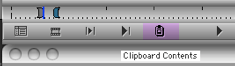
Final Cut relies on cut and paste in the timeline and that can be a very useful convenience. But these days the Media Composer is no slouch when it comes to timeline manipulation. And because the MC allows you to patch one track to another, it is arguably more flexible and intuitive. One helpful trick is to use the “clipboard contents” button.

Clipboard Contents

I put it under the source monitor, so it’s always available. Got a clip (say, a sound effect or a piece of sound fill) that you want to use elsewhere? Select the track, mark the clip and hit command-c. It’s now in your clipboard. Then just hit the clipboard contents icon to bring it into your source monitor. From there, you can use it any way you like (and cut it into any track you like via the patch panel).

Technorati Tags: , , ,